The VST host that builds itself
Things to ask for
- “Put the tuner on footswitch A”
- “Split my keyboard at middle C”
- “Bigger knobs, I play in the dark”
- “Layer a pad under the piano”
- “Tap tempo on C, flashing in time”
- “One knob for reverb up, drive down”
- “Bypass the drive in the verse”
- “Here’s my MC6 map, wire it up”
- “Wah on the expression pedal, on an S-curve”
- “Make the delay pedal blue”
- “Crossfade the two pads on one fader”
- “Show the setlist bigger”
Mapped to your hands and feet.
Paste in your controller’s MIDI map, straight from its editor or its manual, and the chat maps every switch and pedal to the control it names. Then play, and the screen moves with your feet.
Or right-click any control and move something on your controller. Latching switches stay latched, triggers fire once, and an expression pedal sweeps on whatever curve you give it.
Ask for controls that don’t exist yet.
One knob that brings the reverb up, opens the filter and pulls the drive back. A footswitch that changes four things at once. A fader that crossfades two pads. Describe it, and it’s on your screen, ready to map.
The pedalboards and keyboard panels Backline starts you on are plain code in your project, built from the same parts the chat builds with. Nothing on the screen is bolted down.
If you can describe it, you can play it.
Every song, every sound, in order.
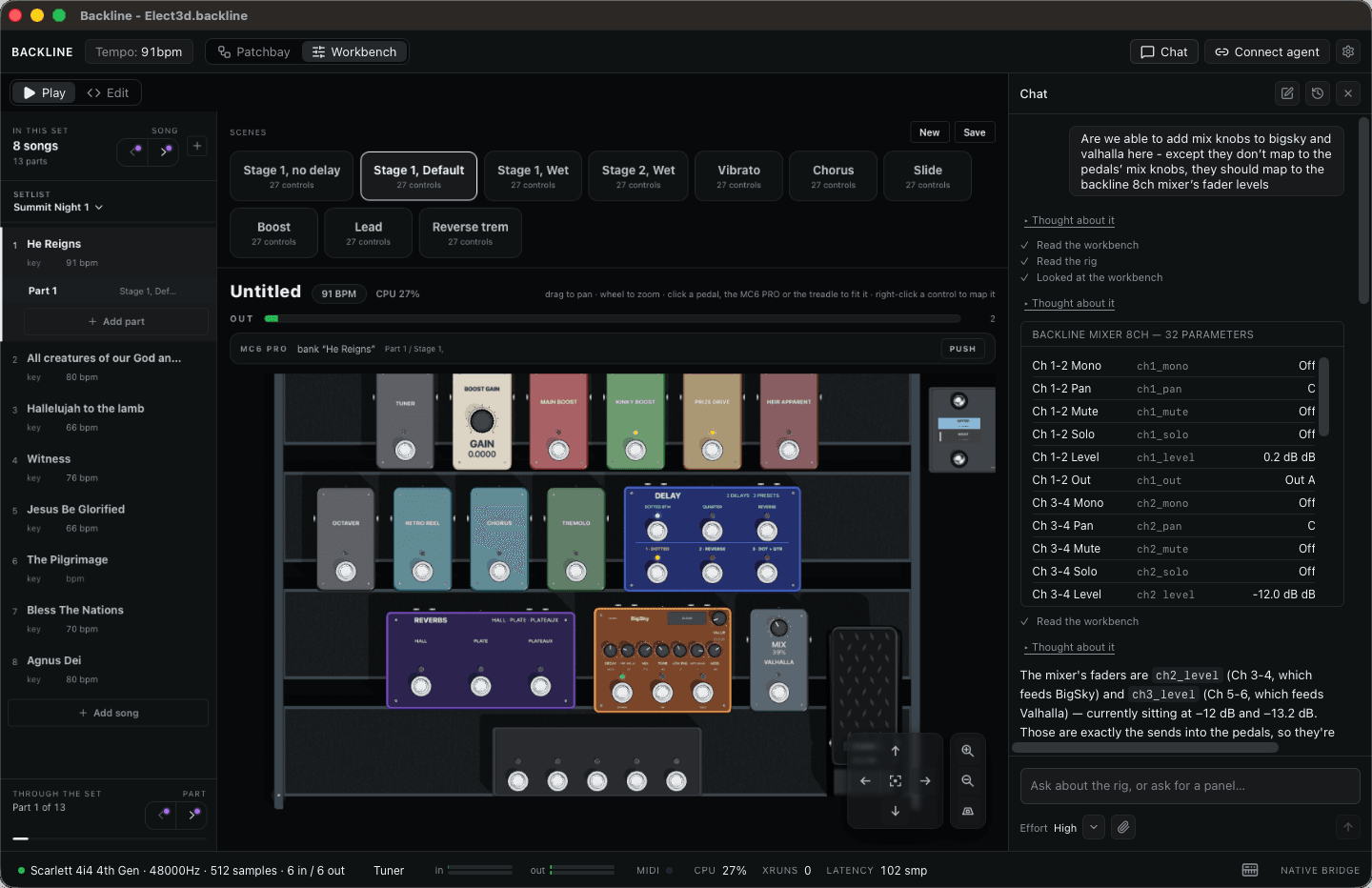
Scenes and setlists come with the app. Pick the setlist frame once, and every screen you build plays inside it: save a scene for each part of a song, line the songs up, and one footswitch moves you on, with every knob, bypass and fader landing where you left it.
Keep a setlist for each gig, and switch between them on the night.
Open it up. It’s yours.
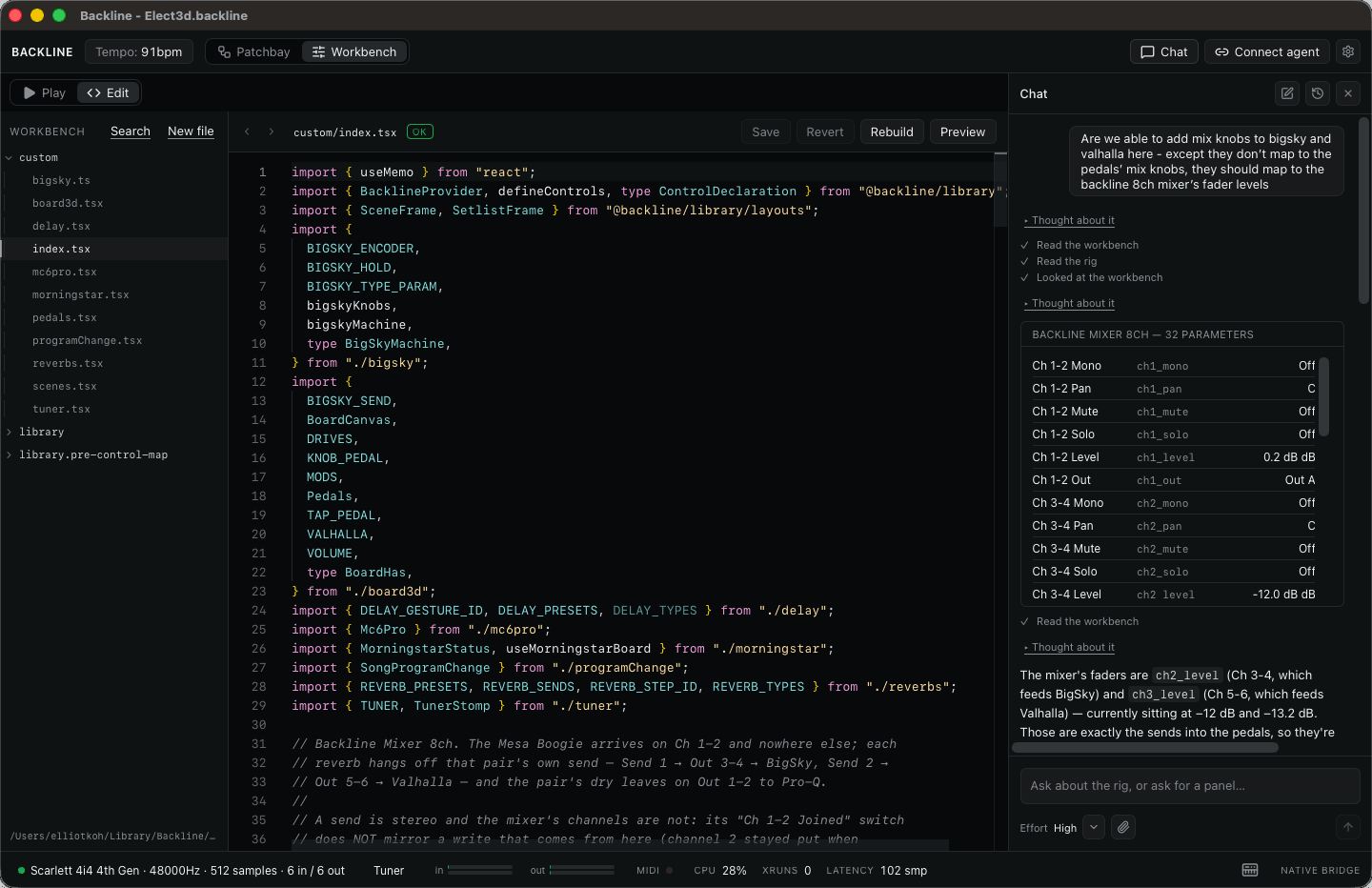
The screen you play from is React and TypeScript, compiled inside the app and saved with your project. Open it in Edit, change a line, and it rebuilds while you watch. Or leave the code to the chat and never see a line of it.
See how it worksHow it works
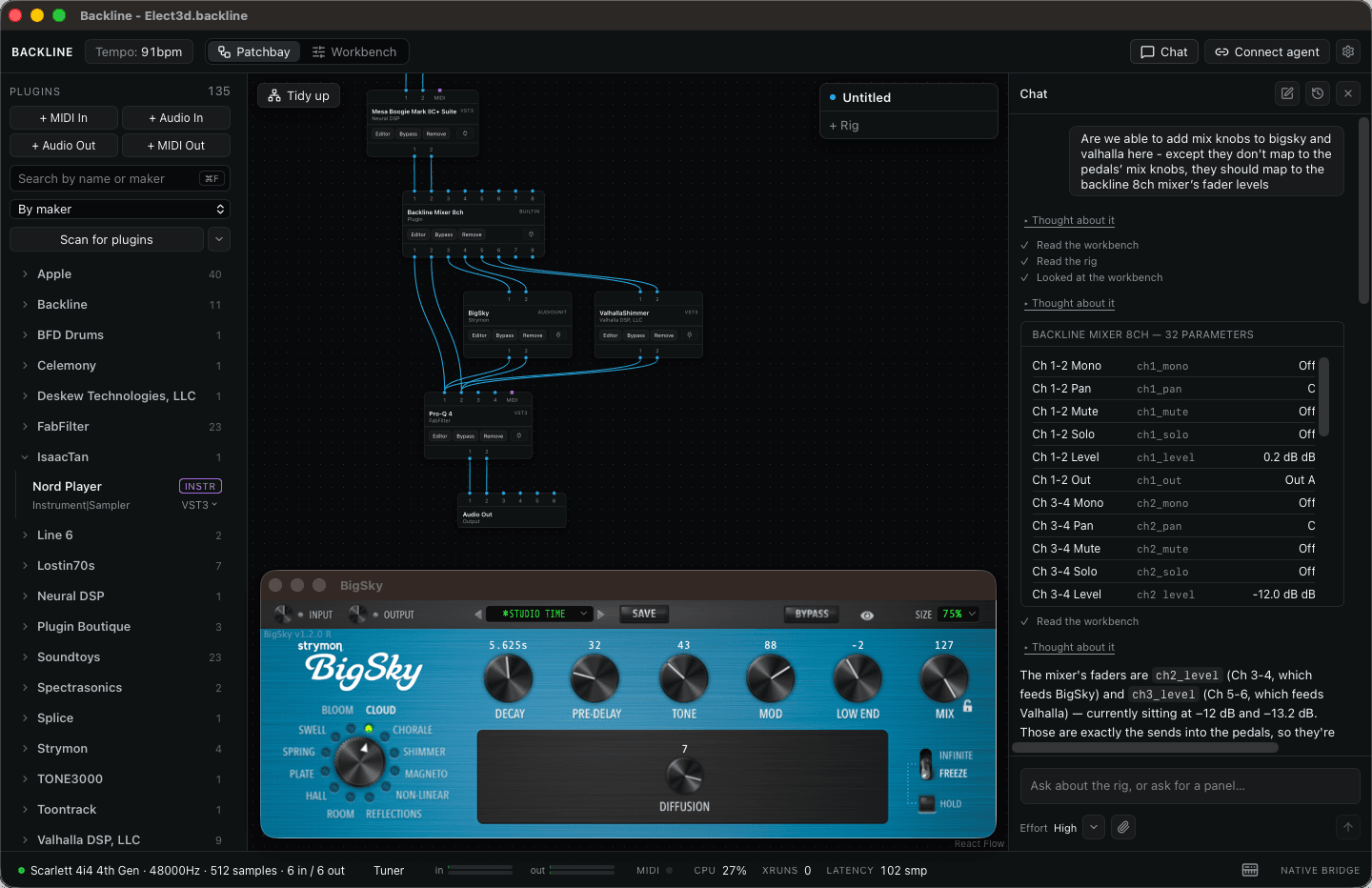
Wire up your plugins
Backline hosts your VST3 and AU plugins in a patchbay. Drag them in, cable them together, open any editor and dial in the sound. Or just tell the chat what you want to hear, and it wires the rig for you.
Build your own UI with AI
The screen you play from is React and TypeScript, compiled inside the app, so there is no layout you can't build and no logic you can't write. Never written code? Describe the screen and the chat writes it, edits it and rebuilds it for you.
Play the perfect pedalboard or keyboard rig
A pedalboard for a guitarist. A panel of scenes and faders for a keyboardist. A setlist that recalls every sound in order, with every control mapped to the hardware under your hands and feet. Get as creative as you like.
Bring your plugins. Ask for the rest.
Wishlist Backline for early access and an early-supporter discount.